

how it works
What running Helix™ looks like, step by step
Helix is ZonGuru's platform for engineering your Amazon listing copy and keeping it current. Connect Seller Central once, and Helix runs a loop on your catalog. It scores your highest-revenue listings, alerts you when one changes, engineers the copy, publishes it to Amazon, verifies it live, then starts watching again.

Helix is currently available for US and UK Amazon marketplaces.
Trusted by 5,000+ Amazon brands and agencies handling $200M+ in client revenue.















step by step
01
Step 1
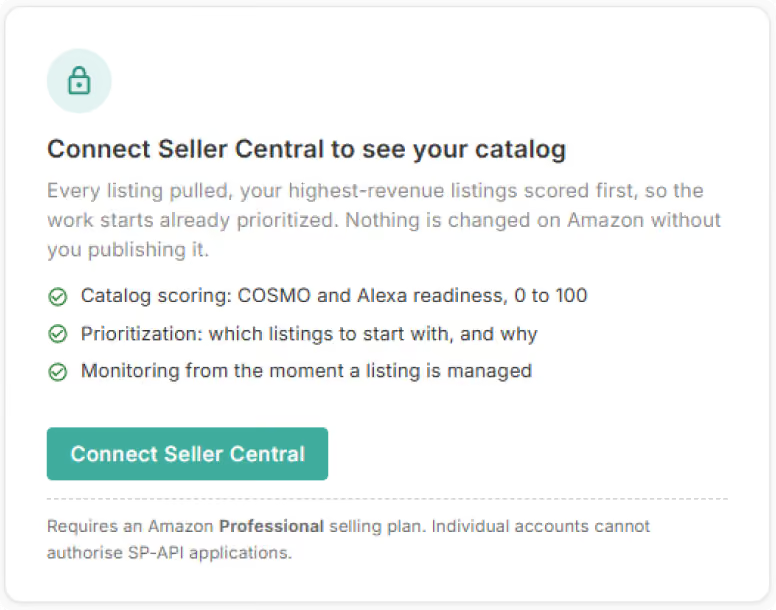
Connect your Seller Central account
Connect Seller Central once and Helix pulls in your US and UK listings, with nothing to upload. The same connection is what turns on scoring, monitoring and publishing back to Amazon.
Signing up needs neither a card nor a connection, though connecting itself needs an Amazon Professional selling plan.
Signing up needs neither a card nor a connection, though connecting itself needs an Amazon Professional selling plan.
Step 2
Score, so you know where to start
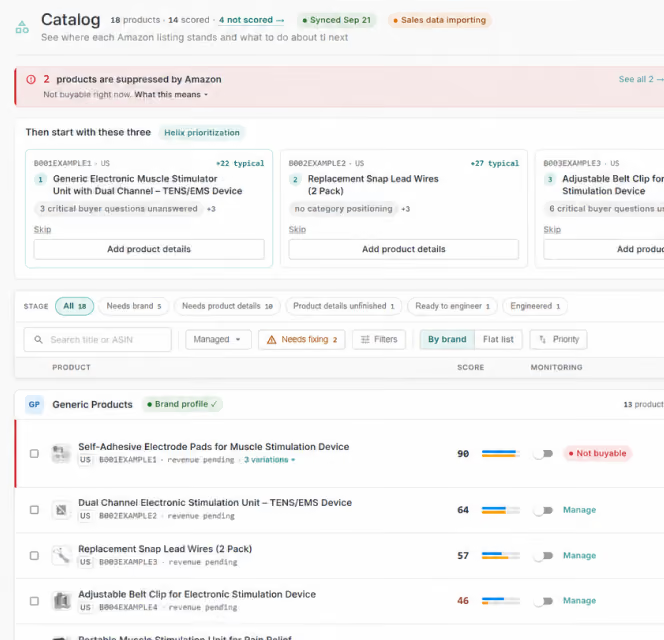
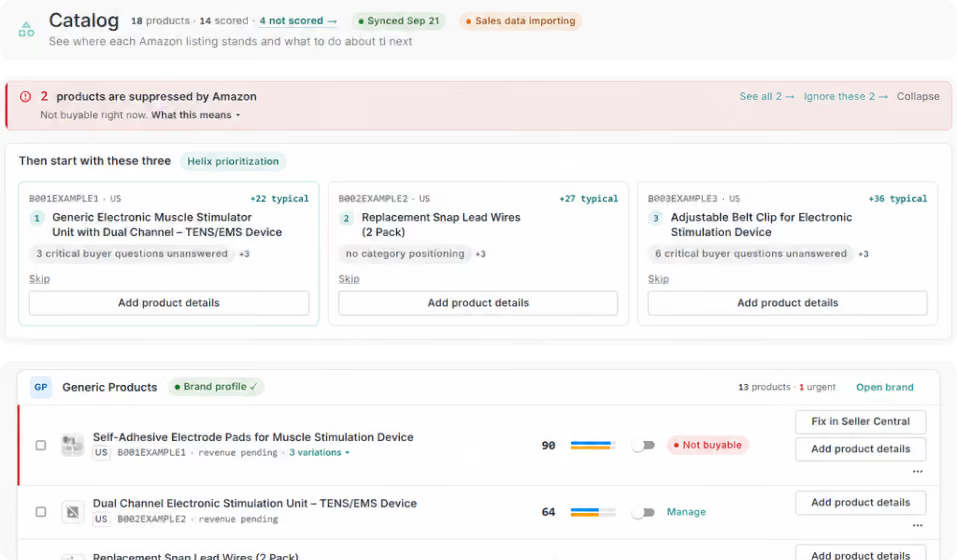
With the catalog in, Helix scores your highest-revenue listings on how well their text answers the questions Amazon's AI puts to a listing.
Helix orders them by real revenue, so the list tells you where to start.
Helix orders them by real revenue, so the list tells you where to start.
Step 3
Alert when something changes
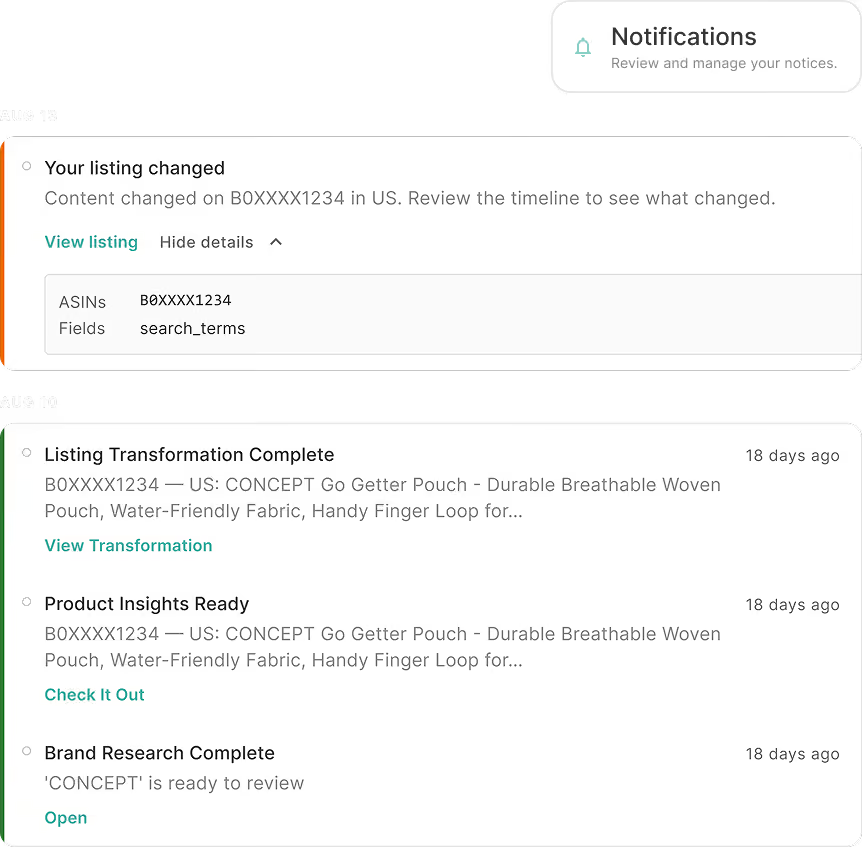
Helix watches the listings you choose from the moment you add them, raising one alert per issue that closes when the issue does. That alert fires when a listing changes outside Helix, gets suppressed, loses the Buy Box, drifts from what you approved, or leaves the catalog.
Step 4
Engineer the listing
You pick the listing, and Helix engineers its title, bullets, description and Item Highlights, the searchable 125-character field Amazon added when it capped titles.
The rewrite obeys your rules, set for the brand, a product or a single run, or drafted by Helix from your own catalog. An output that breaks a rule never publishes.
The rewrite obeys your rules, set for the brand, a product or a single run, or drafted by Helix from your own catalog. An output that breaks a rule never publishes.
Step 5
Publish to Amazon in one click
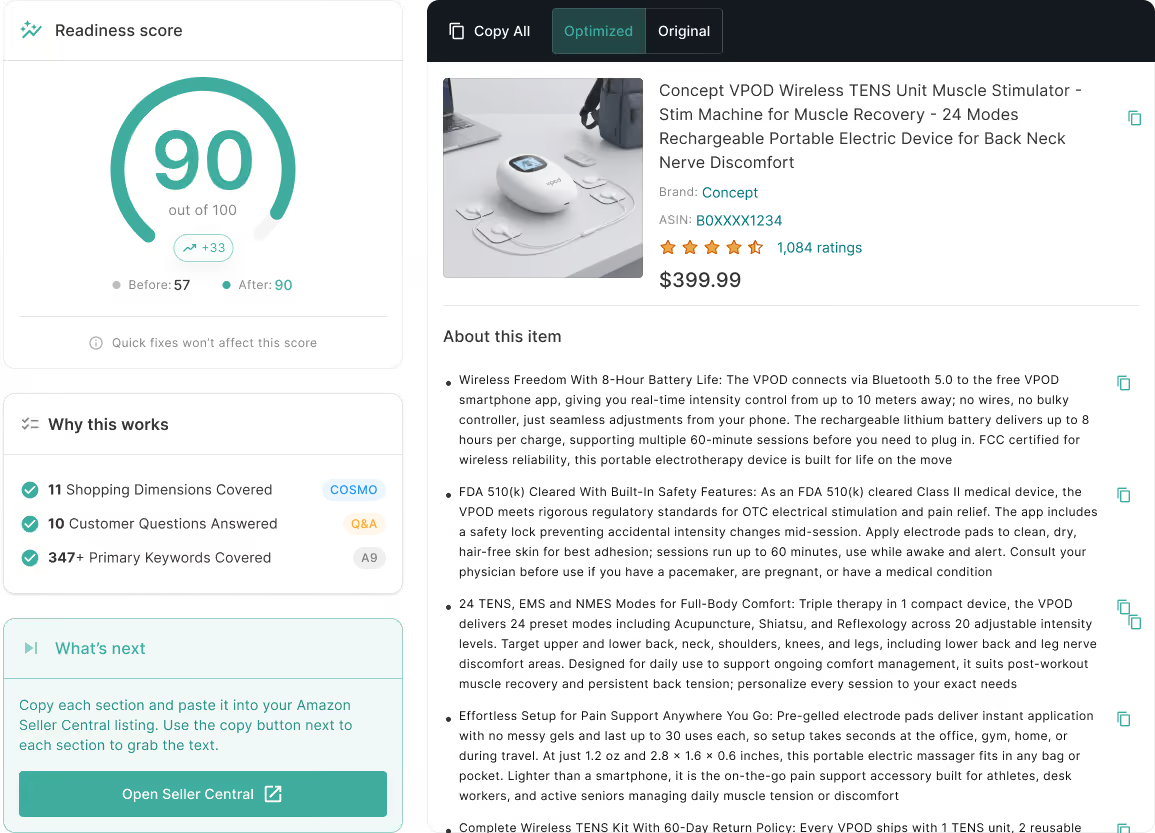
You review the before and after side by side, and publishing through the same connection carries the engineered copy across to the child variations.
If Amazon rejects any of it, the receipt names what failed, and resending just the failed children costs nothing.
If Amazon rejects any of it, the receipt names what failed, and resending just the failed children costs nothing.
Step 6
Verify that it actually went live
Helix reads the published listing back, child by child, and calls the publish live only once your submitted copy is really there.
The published listing then becomes the baseline monitoring compares against, so the next reason to run comes from monitoring, not memory.
The published listing then becomes the baseline monitoring compares against, so the next reason to run comes from monitoring, not memory.
Walkthrough
02
See Helix work, start to finish
Jon Tilley, ZonGuru's CEO, walks through all four steps: connecting your catalog, building your brand strategy, positioning your products, and engineering listings that Amazon's AI can read and shoppers want to buy.
Before/After
03
Before and after, in one report
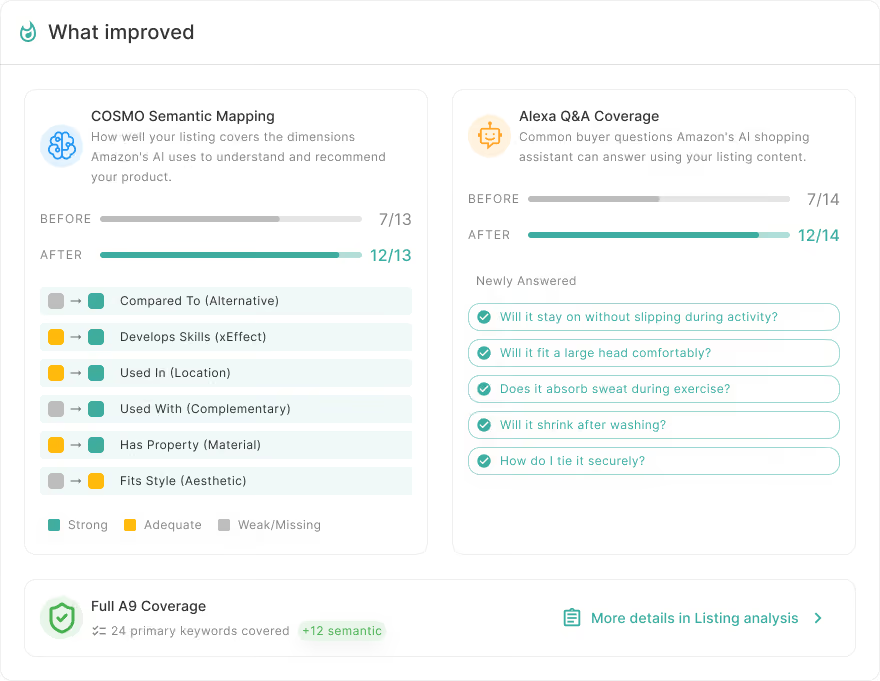
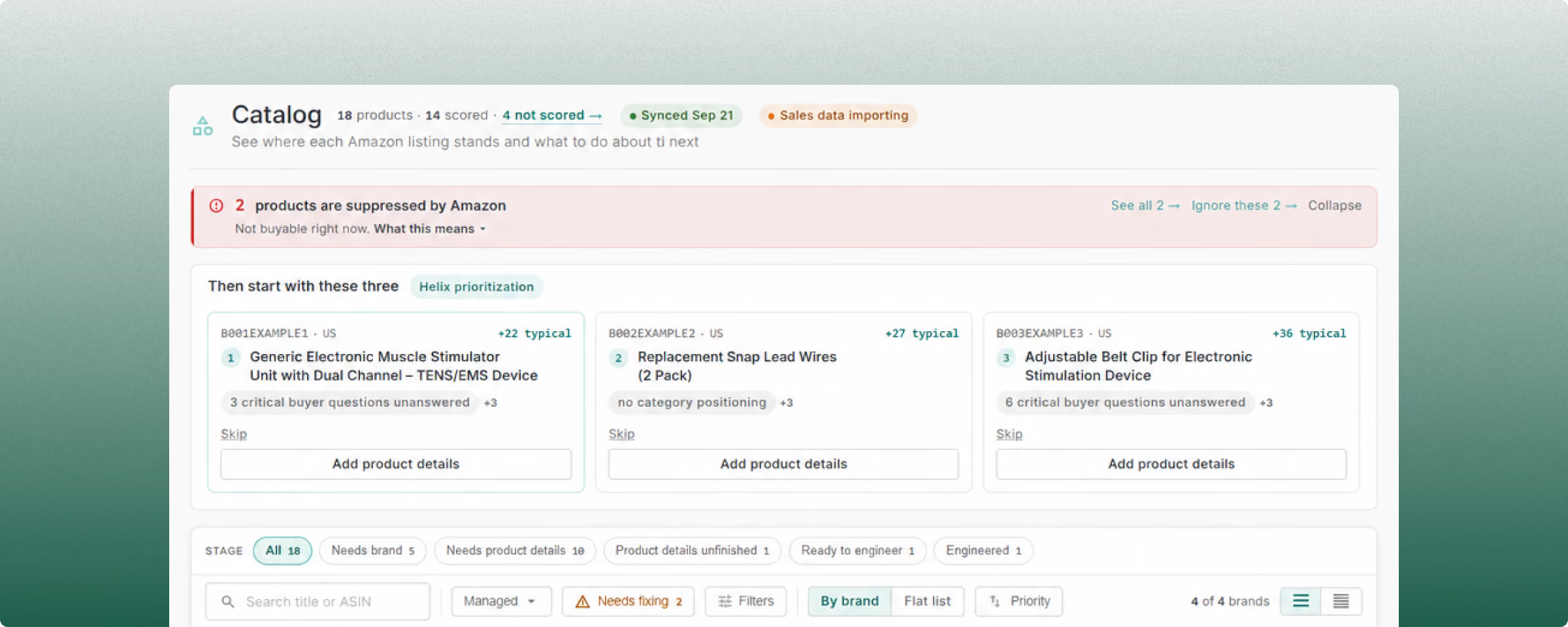
Every run through the loop produces a report with the listing's scores before and after. Those scores read the listing's text and nothing else, so they measure the words rather than predict where you rank.
The report runs on the same engine as the Amazon AI Readiness Score, the free 0-to-100 read of a live listing's text. A Score you ran earlier is already your before number.
The report runs on the same engine as the Amazon AI Readiness Score, the free 0-to-100 read of a live listing's text. A Score you ran earlier is already your before number.
Blog
04
How Amazon's AI decides which listings win, weekly
Read the Blog
What's actually moving your rankings
One email a week on what COSMO and Alexa for Shopping actually read on your listings. Every issue is grounded in 5,000+ AI Readiness Score reports, with no fluff and no pitch.
Every Tuesday · Unsubscribe anytime
Want a diagnosis instead? Run your free AI Readiness Score
FAQ
05
Your questions, answered
Read the FAQIs there a free trial?
Helix does not have a trial. Creating an account is free and needs no card, and the free Readiness Score reads a live US or UK listing before you spend anything.
Which marketplaces does Helix support?
Helix supports the US and UK Amazon marketplaces. Further marketplaces are in development, with no dates we can publish yet.
What is the difference between the free AI Readiness Score and Helix?
The Score measures a live listing's text against two layers and costs nothing. Helix engineers the listing, publishes it to Amazon and keeps watching it after that.
Do I need to connect Seller Central?
You do, because Seller Central is how Helix scores and manages your catalog. Connecting it requires an Amazon Professional selling plan.
Amazon already grades my listing. Why another score?
Amazon's grade tells you whether your detail page is complete by Amazon's checklist. The Readiness Score measures whether the AI engine can confidently recommend your listing's text.

Need help or have some questions? Don’t hesitate to reach out to us.
Chat Now

Get Started
See the loop run on your own listings
The loop scores, alerts, engineers, publishes and verifies, then starts again on what it finds. Run it on your own catalog and see what the next read says.
Helix is currently available for US and UK Amazon marketplaces